
📌 Problem
When attempting to open LP360 after installation, the software fails to start and displays one of the following error messages:
Bad Image Error
LP360.exe - Bad Image

C:\Program Files\Common Files\LP360\aws-c-s3.dll is either not designed
to run on Windows or it contains an error.

Error status 0xc0e90002.
System Error
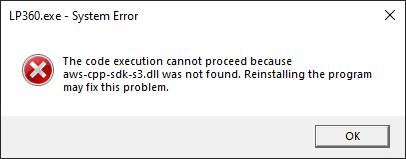
The code execution cannot proceed because aws-cpp-sdk-core.dll was not found.
Reinstalling the program may fix this problem.
The code execution cannot proceed because aws-cpp-sdk-s3.dll was not found.
Reinstalling the program may fix this problem.
🔍 Root Cause
The AWS DLL files required by LP360 are missing, corrupted, or were prevented from being installed correctly.
🧠 What is Happening?
During installation, LP360 places AWS-related DLL files, including
aws-cpp-sdk-core.dll, aws-cpp-sdk-s3.dll, and aws-c-s3.dll, in:C:\Program Files\Common Files\LP360
If these files are missing, corrupted, or quarantined by antivirus or endpoint protection software, LP360 may fail to start and display one of the errors listed above.
✅ Probable Resolutions
1. Reinstall LP360
Reinstall the LP360 software.
This may replace any missing or corrupted AWS DLL files required by LP360.
2. Verify Antivirus Software Is Not Quarantining LP360 Files
During installation, LP360 places AWS DLL files and other AWS-related components in:
C:\Program Files\Common Files\LP360
It is possible that antivirus or defender style program is quarantining these files during or after installation.
Verify that antivirus software is not preventing these files from being written to the proper folder location by creating Antivirus Exceptions for LP360.
📚 Additional Notes
The missing DLL errors and the Bad Image (0xc0e90002) error are typically caused by the same underlying issue involving AWS DLL files used by LP360.
📬 Need Help?
If you're still stuck, please Contact Support for assistance.
Comments
0 comments
Please sign in to leave a comment.