
Problem:
While trying to use the Control Points Report Dialogue in LP360, you may encounter an error while importing the Control Points:
No Points found in vicinity of control point XX. Please check source filter.
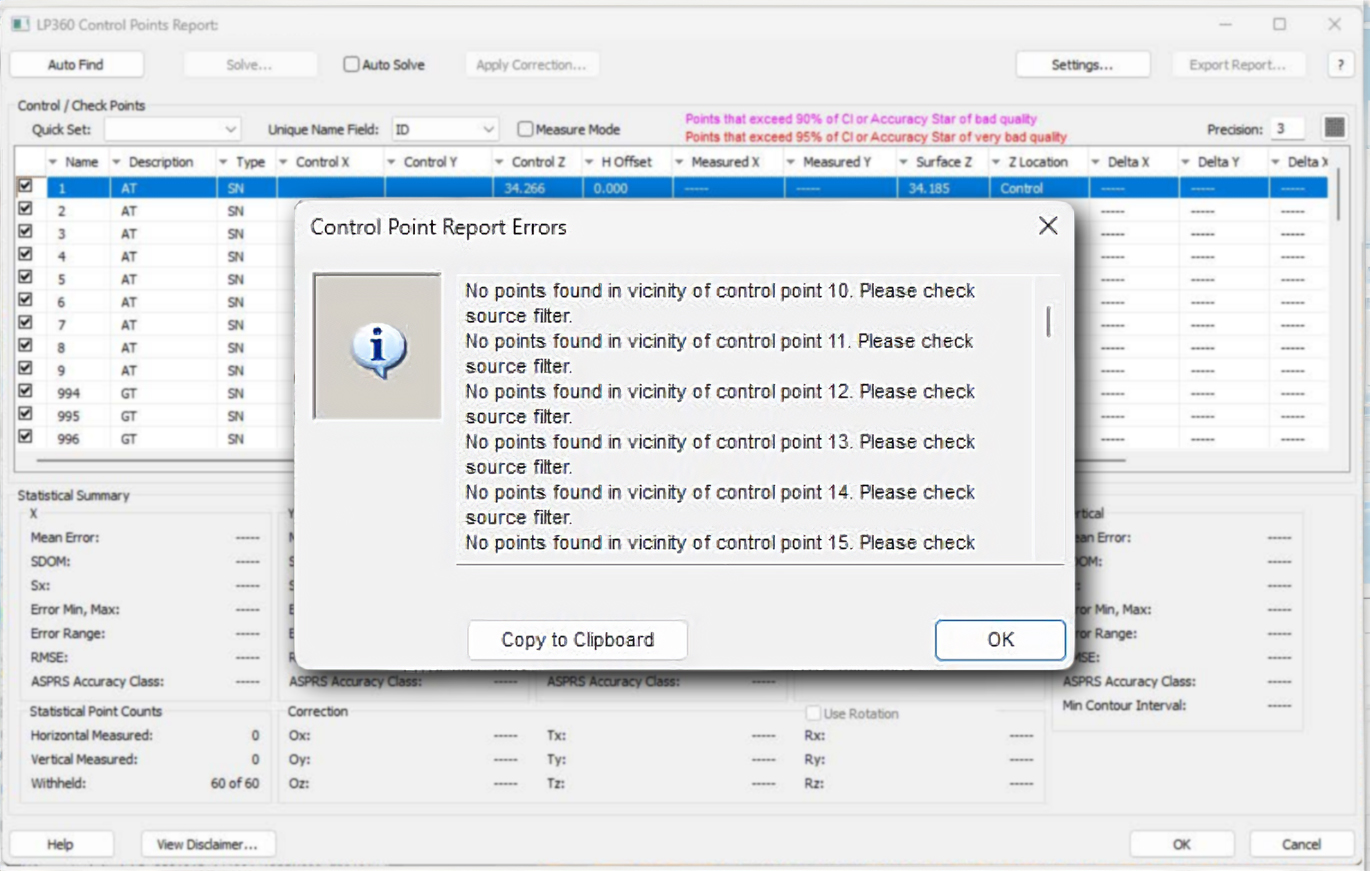
This error message is more of a notification that some of the control points fall outside of the area covered by the flight. If using a master control point list for a large site but only processing part of the site in the project it will present you with this warning.
Probable Resolution #1:
Also, when running on only the ground, MKP class, or other such subset of a larger dataset and using QVR pyramids. This can be resolved by changing the pyramid type to LPLAS and running the control report on it. You can still proceed with the Control Point Report as normal if you uncheck the points that are outside of the project area.
Comments
0 comments
Please sign in to leave a comment.