
Introduced in LP360 v2019.1, a feature was added to Live View to allow the Import/Export Class Names via an XML file.
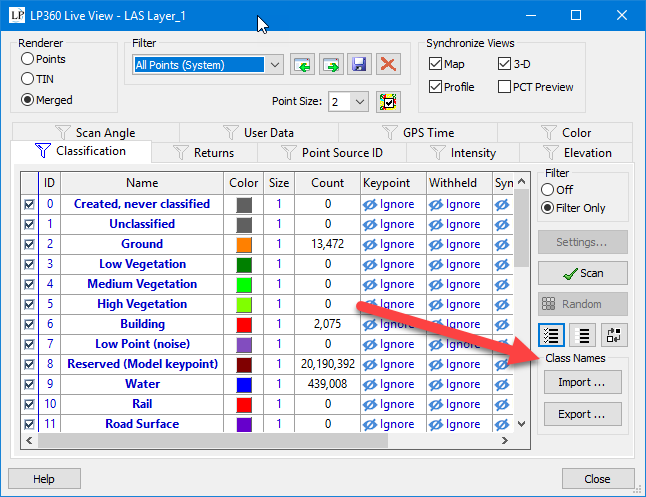
When exporting, after confirming file location and name you're also given the option to set the Custom Class Names as a default for all new projects.
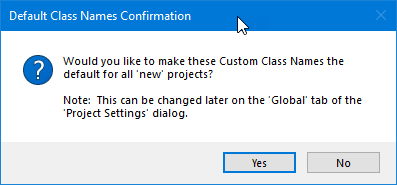
Default Class Names
Any exported XML can be imported and set as the default class names for all new Projects on the Project Settings dialog.
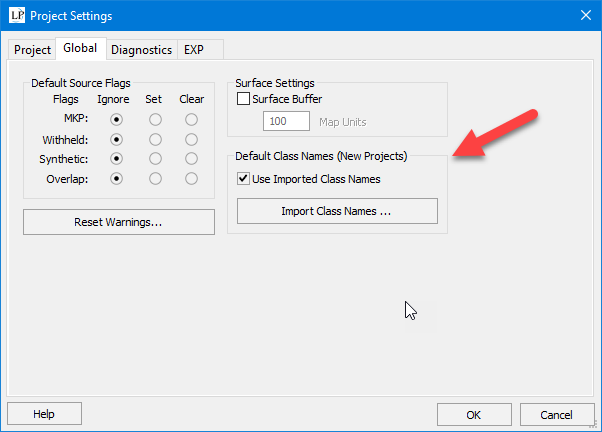
Note that custom class names are stored with the "project" now. They used to be stored on the LAS Layer, requiring the user to "import" the saved XML file on every new LAS layer.
For "legacy" projects, when a project is opened, if no class name mappings are stored with the project, then the default class name settings on the Project Settings dialog are honored. Once they are stored with the project they will be used until the user makes modifications to the class names OR imports a different class name file on the Live View dialog.
Comments
0 comments
Please sign in to leave a comment.